 PBros
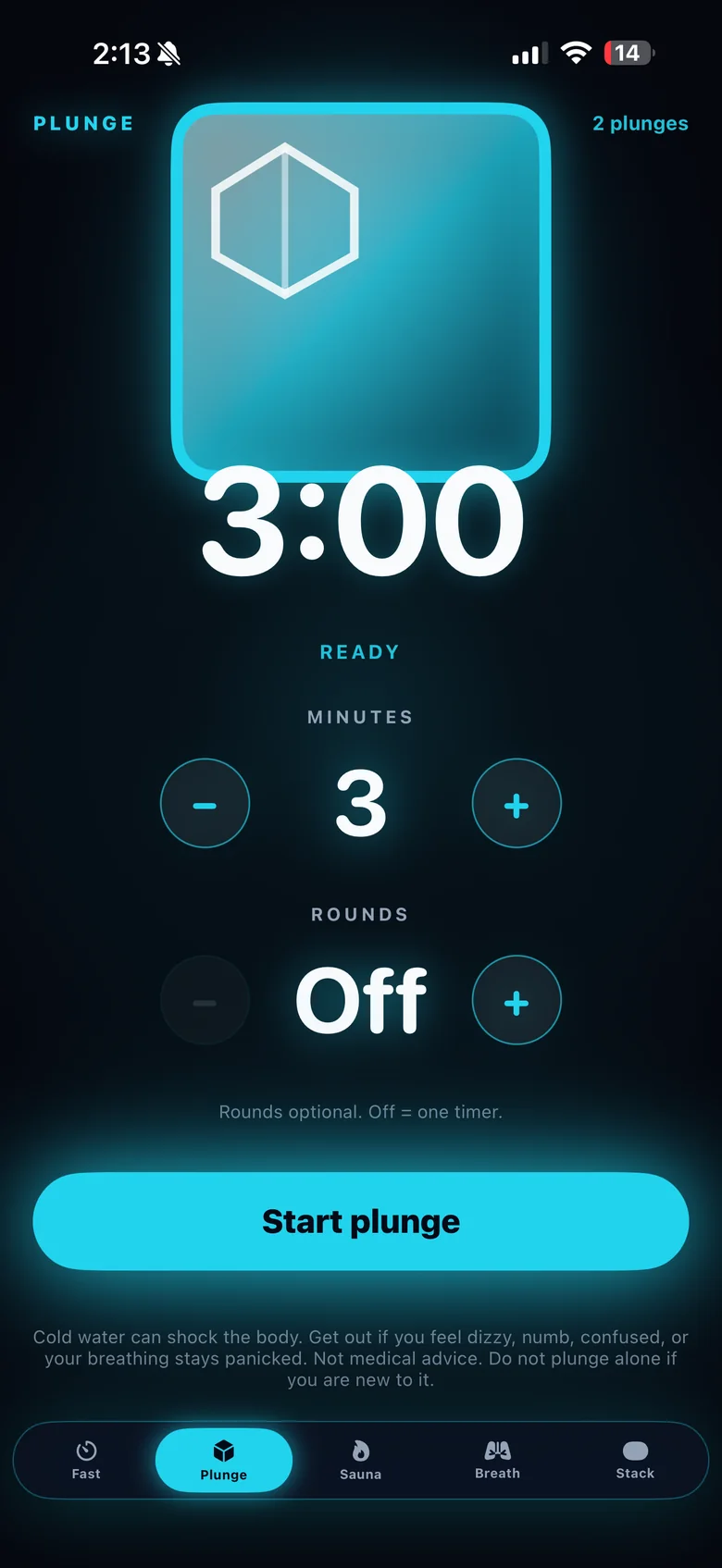
How the Apple Watch remote works
- Set your plunge on iPhone. In the Plunge tab, choose 1 to 15 minutes and up to 5 rounds.
- Put your iPhone somewhere dry and close by. The iPhone runs the timer.
- Control it from your wrist. Start, Pause, Resume and Next on your Apple Watch control the iPhone timer.
- Watch the countdown on either screen. It mirrors live both ways.
- Feel the round change. You get a haptic cue on your wrist when a round ends and the next starts.
Glance without opening the app
On iPhone, Home Screen widgets and a Live Activity show your live time. There isn’t an Apple Watch complication; use the PBros Watch app.
Heart rate, if you want it
PBros can show heart rate from a Bluetooth chest strap connected to the iPhone app, and save it to Apple Health. It doesn’t read heart rate from the Apple Watch.
Plunge safely
The timer is a guide, not a target. Get out whenever you need to, never plunge alone in open water, and if you have a heart condition, are pregnant or are under medical care, check with a clinician first. For common times and temperatures, see cold plunge temperature and time chart.
Get PBros for iPhone, with Apple Watch controlOne-time $4.99 · No subscription · No ads · No account

FAQ
- Does the cold plunge timer run on the Apple Watch by itself?
- No. The Watch app is a companion remote. The timer runs on your iPhone, and your Watch controls it and mirrors the countdown live.
- What can I do from the Watch?
- Start, Pause, Resume and Next, with a haptic cue on your wrist when a round ends and the next starts.
- Does the Apple Watch track my heart rate in PBros?
- No. Heart rate in PBros comes from a Bluetooth chest strap connected to the iPhone app, and it can be saved to Apple Health. PBros doesn’t give medical guidance.
- Is there a Watch complication?
- No. On iPhone there are Home Screen widgets and a Live Activity that show your live time.
- Is there a subscription?
- No. PBros is a one-time $4.99 purchase with no ads and no account.
Related guides
PBros is a timer and reminder app. It doesn’t diagnose, treat or give medical advice. For adults 18+.