 PBros
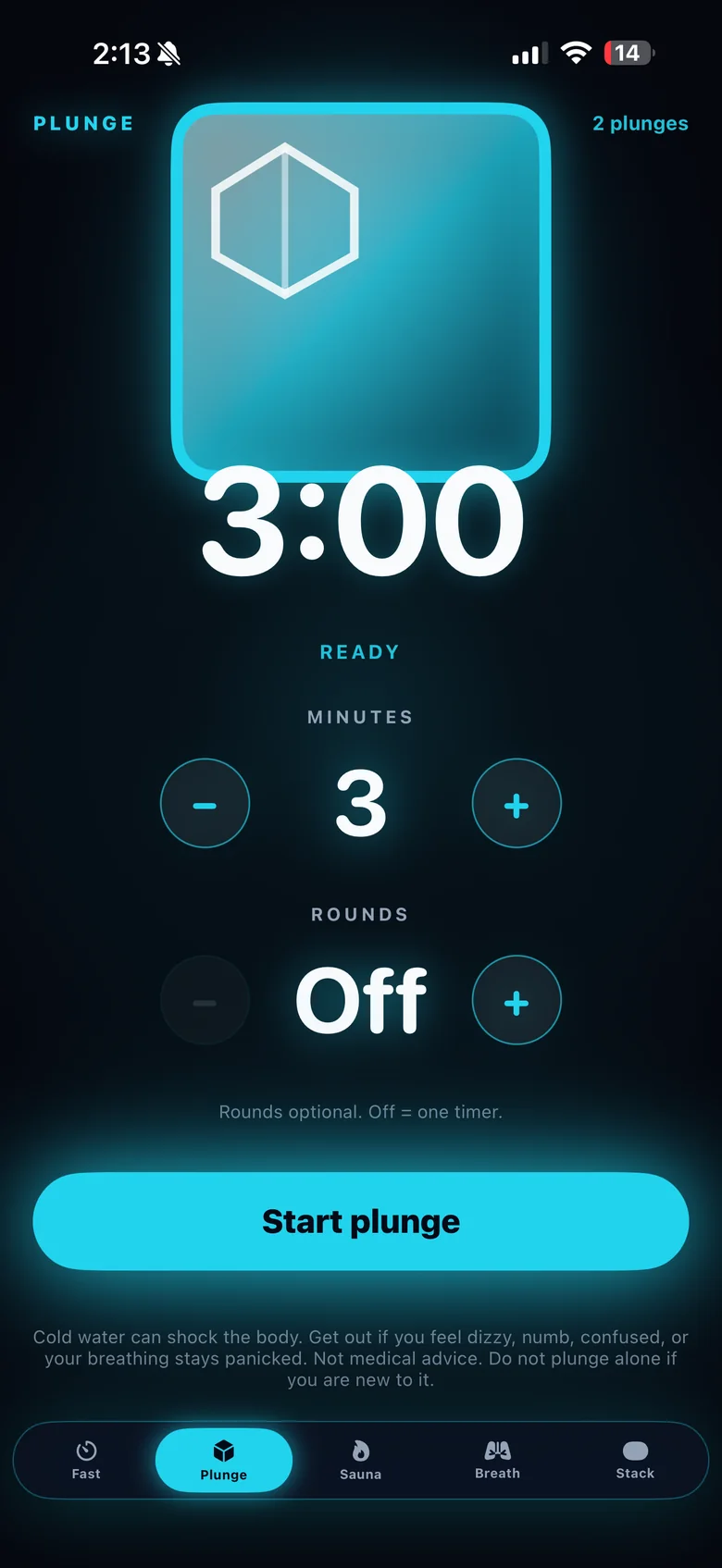
How to time an ice bath with PBros
- Open the Plunge tab. It starts at 3 minutes, a common place to begin.
- Set your minutes. Choose anywhere from 1 to 15 minutes.
- Choose rounds if you want them. Up to 5, with a pause between rounds so you can get out, breathe and reset.
- Put your iPhone somewhere dry and visible. Or start and pause the timer from your Apple Watch.
- Get out when you need to. The timer is a guide, not a target.
Ice bath timer vs. a stopwatch
A phone stopwatch counts up and gives you nothing between rounds. An ice bath timer counts down, so you can see how much is left without doing the math with cold hands. PBros also handles rounds for you, so two or three short dips with a break don’t need a second alarm.
One long soak or short rounds?
Some people prefer one continuous session. Others split the same total time into rounds, for example 3 × 1 minute with a short break out of the water. PBros supports both: leave rounds off for one countdown, or set 2 to 5 rounds and the timer walks you through each one. Many people start short and add time slowly over weeks rather than chasing a long session on day one.
What PBros doesn’t do
PBros is a timer. It doesn’t measure water temperature or recommend a protocol for you. If you want a reference for common times and temperatures, see our cold plunge time and temperature chart.
Cold exposure safety
Never plunge alone in open water. If you have a heart condition, high blood pressure, Raynaud’s, are pregnant, or are under medical care, talk with a clinician before trying cold exposure. Stop if you feel unwell.
Get PBros for iPhone, with Apple Watch controlOne-time $4.99 · No subscription · No ads · No account

FAQ
- Is there an ice bath timer app for iPhone?
- Yes. PBros has a Plunge timer for ice baths and cold plunges, with 1 to 15 minutes per round and up to 5 rounds.
- Can I use my iPhone as a timer next to an ice bath?
- Keep it on the dry side, not in the water. You can also start, pause and resume the timer from your Apple Watch.
- How long should an ice bath last?
- There’s no single right number. Water temperature, experience and how you feel that day all matter. PBros is a timer and doesn’t recommend a protocol; see the cold plunge time and temperature guide for common ranges.
- Does PBros measure water temperature?
- No. It’s a timer, not a thermometer.
- Is there a subscription?
- No. PBros is a one-time $4.99 purchase with no ads and no account.
Related guides
PBros is a timer and reminder app. It doesn’t diagnose, treat or give medical advice. For adults 18+.