 PBros
PBros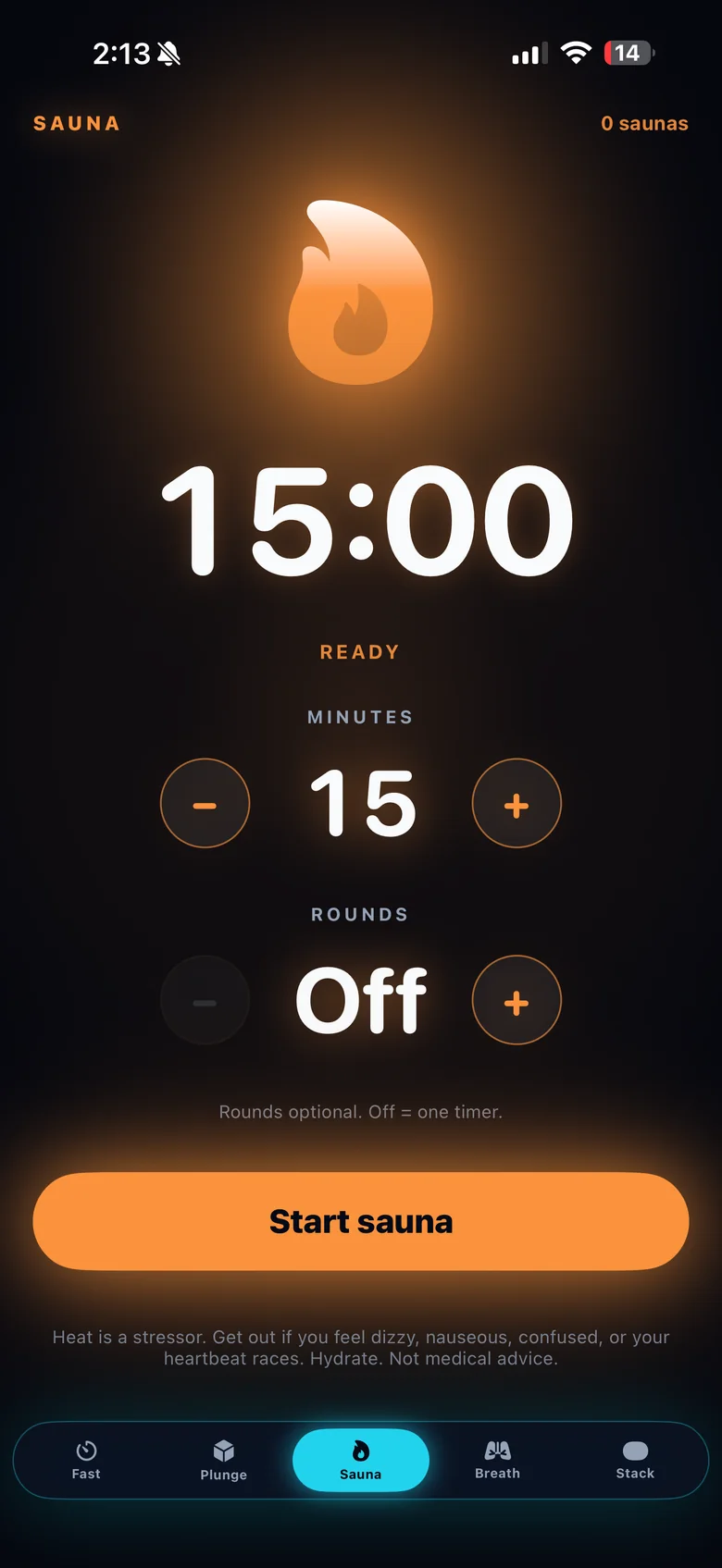
How to time a sauna session with PBros
- Open the Sauna tab and choose Dry or Infrared.
- Set your minutes. Anywhere from 5 to 30 minutes. It starts at 15.
- Add rounds (optional). Set up to 5 rounds. PBros pauses between rounds so you can step out, cool down and drink water.
- Start it on your Apple Watch, or leave your iPhone outside. Phones and high heat don’t mix.
- Leave when you need to. If you feel dizzy, light-headed or unwell, get out — the timer can wait.
Dry vs infrared
A traditional dry sauna heats the air around you, usually to a much higher temperature. An infrared sauna runs cooler and warms you more directly. Sessions often feel different in each — PBros lets you pick which one you’re using.
Session length and rounds
How long you stay in is personal and depends on the sauna, the temperature and how you feel. Many people do one session; others do a few shorter rounds with a cool-down in between. Start with shorter sessions, drink water, and build up only if it feels good. Avoid alcohol before or during a sauna. If you’re pregnant, have a heart condition or low blood pressure, or are under medical care, check with a clinician first.
Pair it with cold
Going between sauna and cold plunge? See the contrast therapy timer guide, or the cold plunge timer on its own.
Get PBros for iPhone and Apple WatchOne-time $4.99 · No subscription · No ads · No account

FAQ
- How long can the sauna timer run?
- From 5 to 30 minutes per round, with up to 5 rounds.
- Does it work on Apple Watch?
- Yes. Start your sauna session on the PBros Apple Watch app.
- Does PBros track my heart rate or temperature?
- No. PBros is a timer. It doesn’t read health sensors or give medical guidance.
- Is there a subscription?
- No. PBros is a one-time $4.99 purchase with no ads and no account.
Related guides
PBros is a timer and reminder app. It doesn’t diagnose, treat or give medical advice. For adults 18+.