 PBros
How to track a fast with PBros
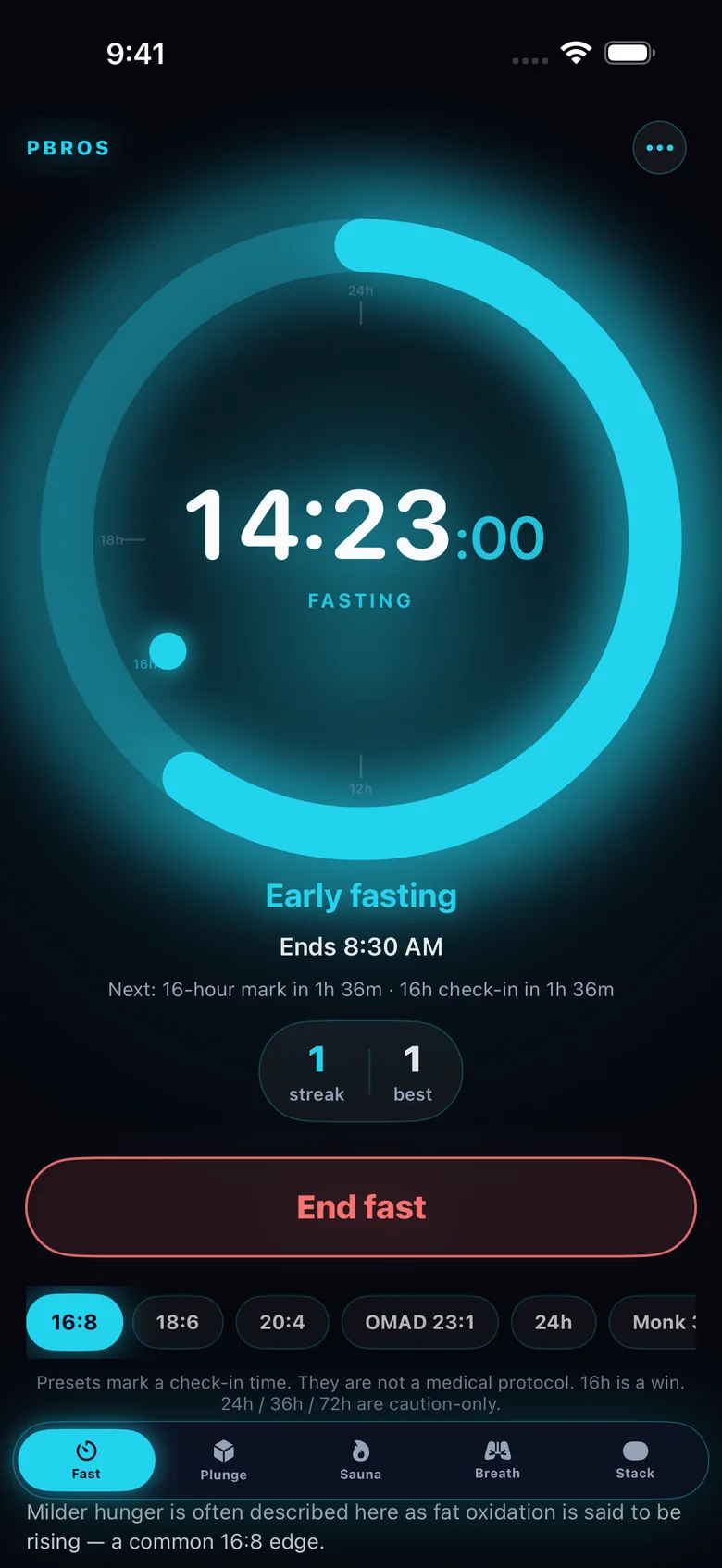
- Choose a preset. 16:8, 18:6, 20:4, OMAD (23:1) or 24h are one tap. You can also set a custom length.
- Start your fast. If you already started earlier, you can set the start time back so the timer is accurate.
- Glance, don’t open. Add the PBros widget to your Home Screen to see your live fasting time and end time.
- Watch the phases. PBros shows a short note for the stretch you’re in (for example “Post-absorptive, 4–12h”) and what’s next. These are general, educational descriptions — not lab readings.
- End your fast. Tap End fast. Your streak and history are saved on your iPhone.
Which schedule should I pick?
16:8
Fast for 16 hours, eat within an 8-hour window — for example, eat between noon and 8 PM. It’s the most common starting point because a big chunk of it happens while you sleep.
18:6 and 20:4
The same idea with a shorter eating window. Many people move to these only after 16:8 feels routine.
OMAD (one meal a day)
Roughly 23 hours fasting with one meal. It’s a big step up, so it’s worth working toward rather than starting with.
Longer fasts
PBros includes 36h and 72h options, but they sit behind a confirmation with a caution, on purpose. Extended fasting isn’t right for everyone — talk with a clinician first.
Why a one-time price matters
Many popular fasting apps are free to download and then ask for a monthly or yearly subscription for the full feature set. PBros is a single $4.99 purchase: the timer, presets, phase notes, widget and Apple Watch control are all included, with no ads and no account.
Also in PBros
- A cold plunge timer and a sauna timer with rounds
- Guided breath sessions
- Morning, afternoon and evening stack reminders
Get PBros for iPhone, with Apple Watch controlOne-time $4.99 · No subscription · No ads · No account

FAQ
- Does PBros work offline and without an account?
- Yes. There’s no login, and your fasting history stays on your iPhone.
- Is there a Home Screen widget?
- Yes. Small and medium widgets show your live fasting time and when your fast ends.
- Does it work on Apple Watch?
- Yes. Your Fast, Plunge, Sauna and Contrast timers run on your iPhone, and you can control them from your Apple Watch.
- Is it a subscription?
- No. PBros is a one-time $4.99 purchase. No in-app purchases and no subscription.
Related guides
PBros is a timer and reminder app. It doesn’t diagnose, treat or give medical advice. For adults 18+.