 PBros
What you see on your wrist
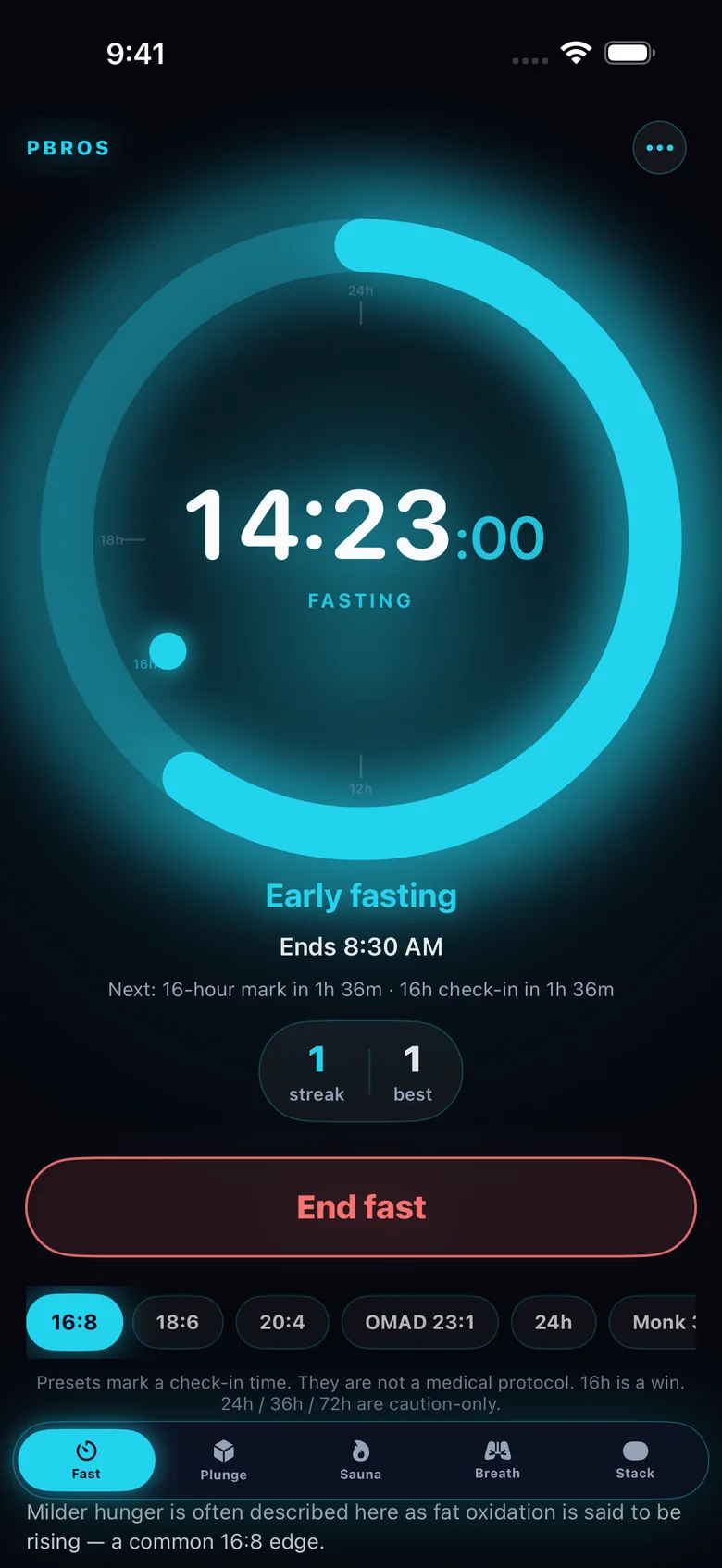
The Fast tab on the PBros Apple Watch app mirrors the fast running on your iPhone:
- Live elapsed time in hours, minutes and seconds.
- A phase ring that fills toward your target.
- Fast or Ready, so you can tell at a glance whether a fast is running.
- When your fast ends, based on your start time and your chosen schedule.
Set up a fast in a few taps
- Pick a schedule on iPhone. 16:8, 18:6, 20:4, OMAD (23:1) or 24h are one tap, or set a custom length.
- Start the fast. If you started earlier, set the start time back so the timer is accurate.
- Glance at your wrist. Check your time and when you can eat, without opening your phone.
- Add the Home Screen widget. Small and medium widgets on iPhone show your live fasting time and end time.
Why use a Watch view for fasting
Most of a fast is spent doing other things: working, training, driving. A quick look at your wrist is easier than unlocking your phone, and it keeps you from picking it up for something else. Pair it with the iPhone widget for a view on both devices.
No subscription
Many fasting apps are free to download and then charge monthly or yearly for the full feature set. PBros is a single $4.99 purchase. The timer, presets, phase notes, widget and Apple Watch app are all included, with no ads and no account. See the no-subscription fasting app guide for more.
Fast safely
PBros shows general, educational notes about each stretch of a fast. They aren’t lab readings or medical advice. Don’t fast if you’re pregnant or breastfeeding, have a history of eating disorders, have diabetes or take medication affected by meals, or have been told not to, unless a clinician says it’s OK. Stop and eat if you feel dizzy, faint or unwell.
Get PBros for iPhone, with Apple Watch controlOne-time $4.99 · No subscription · No ads · No account

FAQ
- Is there a fasting timer for Apple Watch?
- Yes. The PBros Apple Watch app has a Fast tab that shows your live elapsed time, a phase ring and when your fast ends.
- Can I start a fast from my Apple Watch?
- You start and end a fast on your iPhone. The Watch shows it live. The Plunge and Sauna tabs on the Watch can start, pause and resume those timers.
- Does it work without an account?
- Yes. There’s no login, and your fasting history stays on your iPhone.
- Is there an iPhone widget too?
- Yes. Small and medium Home Screen widgets show your live fasting time and when your fast ends.
- Is it a subscription?
- No. PBros is a one-time $4.99 purchase, with no in-app purchases and no ads.
Related guides
PBros is a timer and reminder app. It doesn’t diagnose, treat or give medical advice. For adults 18+.