 PBros
How to use the Apple Watch remote in the sauna
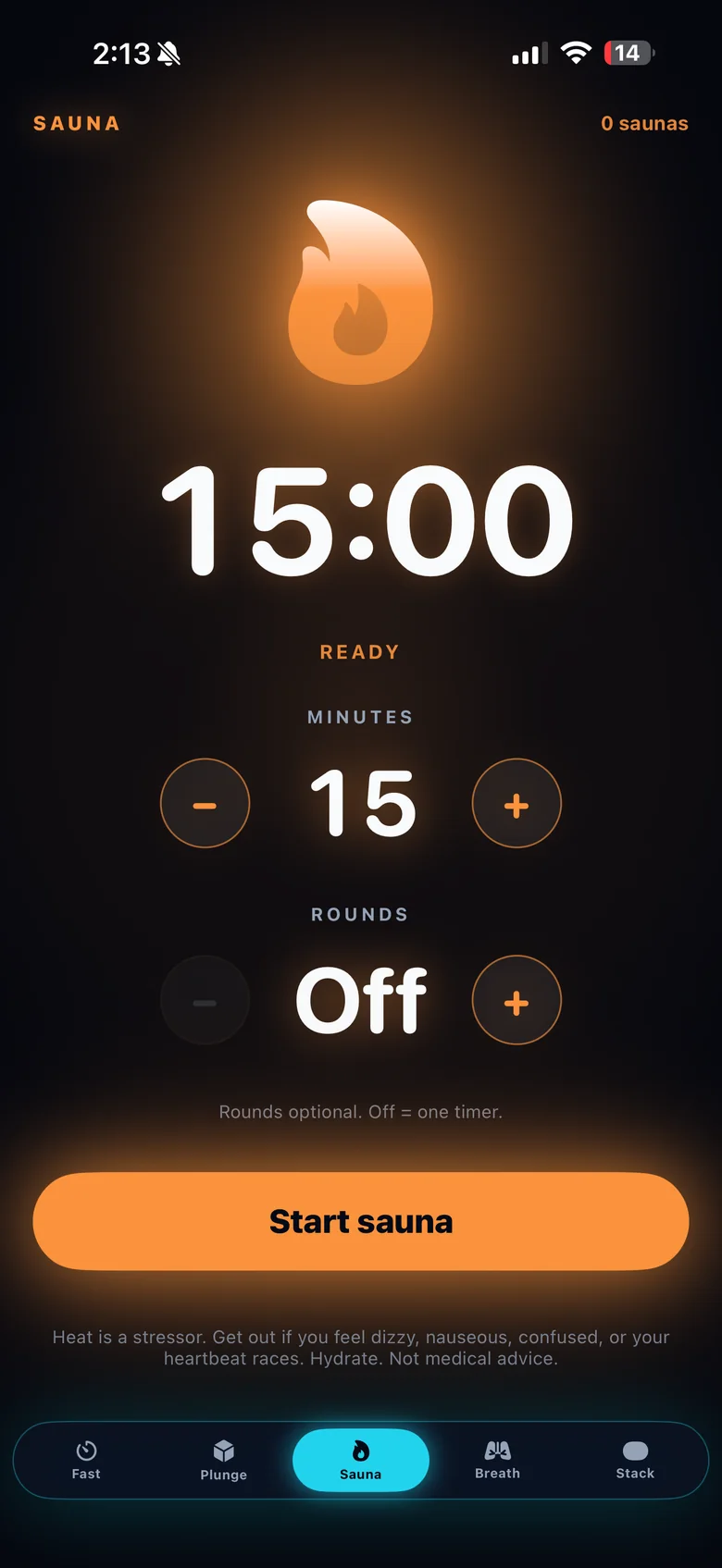
- Set your session on iPhone. Choose Dry or Infrared, 5 to 30 minutes, and up to 5 rounds.
- Leave your iPhone outside the sauna, close by. Heat can damage phones and trigger temperature warnings. The iPhone runs the timer.
- Control it from your wrist. Start, Pause, Resume and Next on the Watch control the iPhone timer.
- Follow the countdown. It mirrors live on the Watch and iPhone.
- Feel the round change. A haptic cue on your wrist tells you when a round ends and the next starts.
Contrast days
Going between heat and cold? The contrast therapy timer adds a haptic on your wrist at each cold/heat switch.
Widgets and heart rate
On iPhone, Home Screen widgets and a Live Activity show your live time. There’s no Watch complication. Heart rate comes from a Bluetooth chest strap connected to the iPhone app (not the Watch), and can be saved to Apple Health.
Stay comfortable
Session length is personal. Drink water, avoid alcohol, and get out if you feel dizzy or unwell. If you’re pregnant, have a heart condition or low blood pressure, or are under medical care, check with a clinician first. See the sauna temperature and time guide.
Get PBros for iPhone, with Apple Watch controlOne-time $4.99 · No subscription · No ads · No account

FAQ
- Does the sauna timer run on the Apple Watch alone?
- No. The Watch app is a companion remote for the timer running on your iPhone, with a live two-way countdown.
- Will my Apple Watch tell me when a round ends?
- Yes. You get a haptic cue on your wrist when a round ends and the next starts.
- Does the Apple Watch track my heart rate in PBros?
- No. Heart rate in PBros comes from a Bluetooth chest strap connected to the iPhone app, and it can be saved to Apple Health. PBros doesn’t give medical guidance.
- Should I bring my iPhone into the sauna?
- No. Keep it outside the heat, close enough to stay connected, and control the timer from your Watch.
- Is there a subscription?
- No. PBros is a one-time $4.99 purchase with no ads and no account.
Related guides
PBros is a timer and reminder app. It doesn’t diagnose, treat or give medical advice. For adults 18+.